Braves Game
How to access your Braves Ticket:
- Your Braves ticket link will be emailed on 5/17 to the address you gave
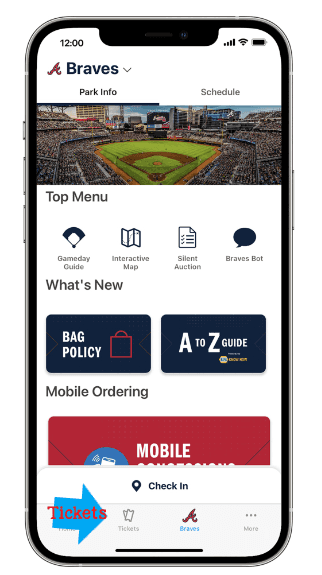
- Your tickets can only be accessed through registering with Ticketmaster and downloading the Ballpark App on your phone. YOU MUST USE THE SAME EMAIL ADDRESS you gave me yesterday or you will not get the tickets in the app. You can follow this link to learn more about the app and how to access your ticket. https://www.mlb.com/braves/apps/ballpark
- Verify you can see your tickets in the app by Friday. If you do not see your ticket, go see Emily in the Sales Department Friday between 2 pm-3pm.
- If you have an Apple phone you can add the tickets to your Apple Wallet so you don’t have to use the Ballpark app at the park.
What’s Included with your Ticket:
- 1 Ticket for Entry
- $50 to use on food or merchandise inside the stadium (you will scan your ticket in the Ballpark app when checking out at the food or merchandise kiosk.)
- 1 Parking Pass (if you said you were riding with someone you will not receive a parking pass in your tickets in the app
Game Details:
Braves vs Mariners
Sunday, May 21st
Time: 1:30
Seat Section: 238, Rows: 12, 13, 14
Parking Lot: B, Silver
Location: Truist Park
Step by step ticket download:
Your email will look like this. If you got a parking pass as well it will say 2 tickets.

When you click the link, you will have to sign in to Ticketmaster or create an account using the email you gave me.
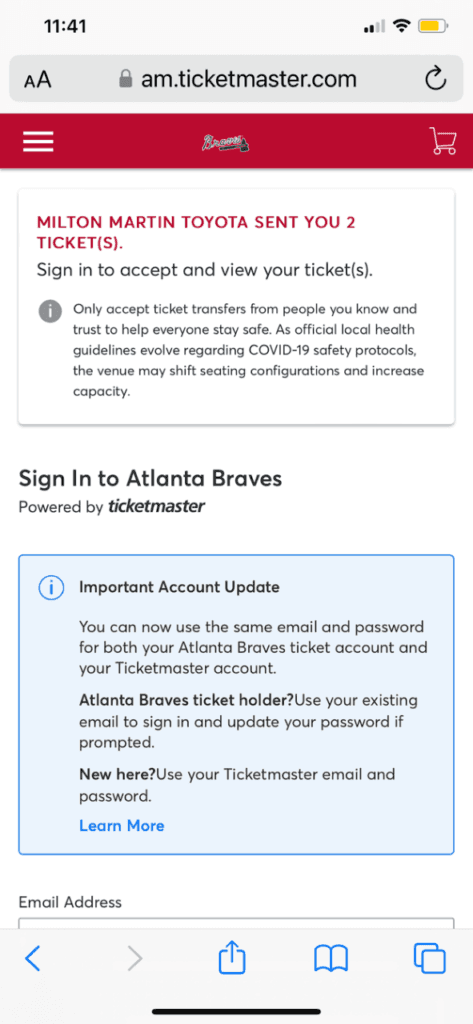
You have a window of time to accept your tickets. Once accepted you can save to Apple Wallet or use the Ballpark app to access.
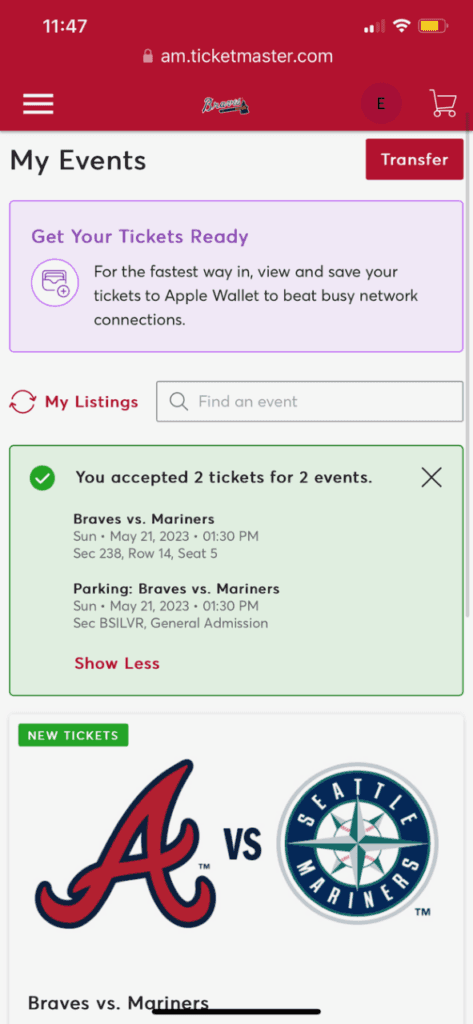
Ballpark App–tickets show at the bottom.